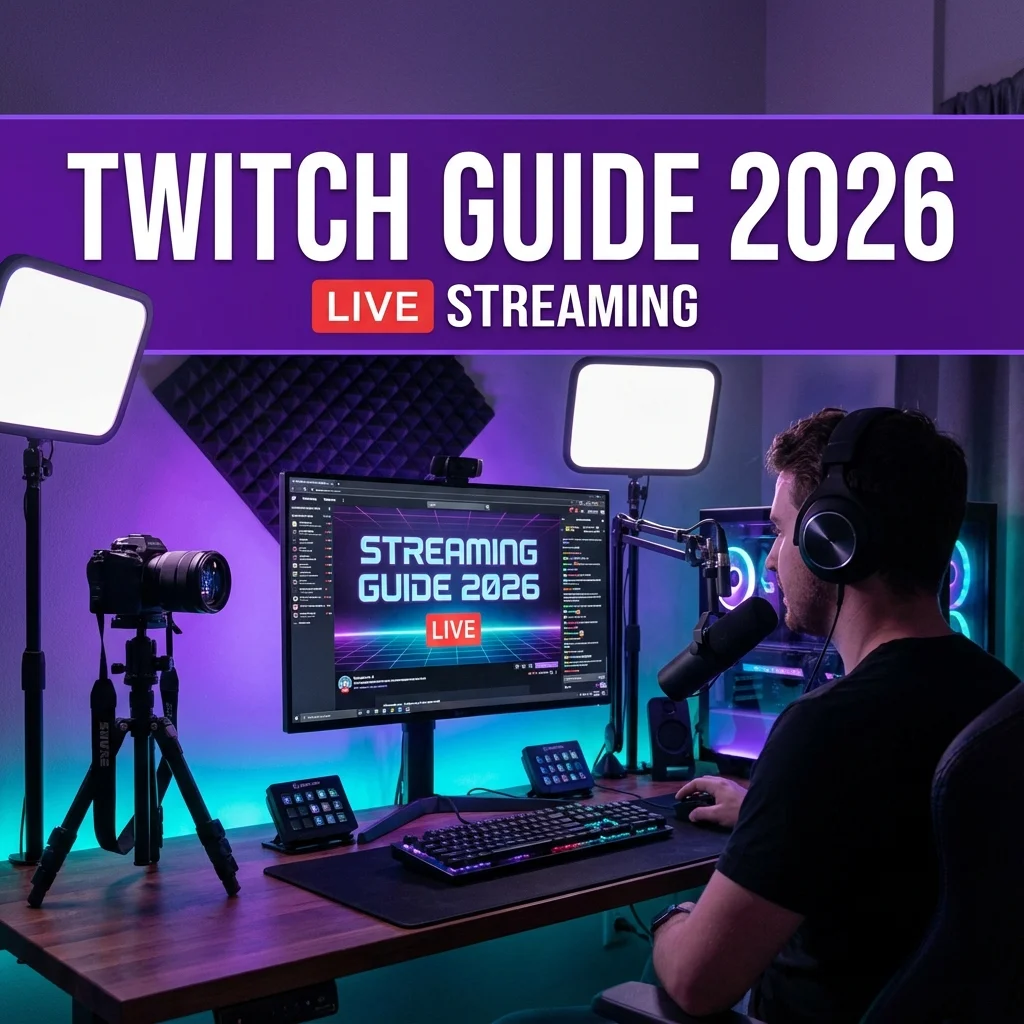
How to Stream on Twitch 2026
Start Your Streaming Journey!
Want to stream your gameplay to the world? This complete guide covers everything you need to start streaming on Twitch in 2026!
🎬 What You Need
Minimum Requirements
| Item | Minimum | Recommended |
|---|---|---|
| PC | i5/Ryzen 5 | i7/Ryzen 7 |
| RAM | 8GB | 16GB+ |
| GPU | GTX 1050 | RTX 3060+ |
| Internet | 10 Mbps up | 25+ Mbps up |
| Webcam | 720p | 1080p |
| Mic | USB headset | XLR/USB mic |
Software
Free Options:
- OBS Studio (most popular)
- Streamlabs Desktop
- Twitch Studio (beginner-friendly)
⚙️ OBS Setup Guide
Step 1: Download OBS
- Go to obsproject.com
- Download for your OS
- Install and launch
Step 2: Basic Settings
Video Settings:
| Setting | Value |
|---|---|
| Base Resolution | Your monitor |
| Output Resolution | 1920x1080 |
| FPS | 60 |
Output Settings:
| Setting | Value |
|---|---|
| Encoder | NVENC (if Nvidia) |
| Rate Control | CBR |
| Bitrate | 4500-6000 Kbps |
| Preset | Quality |
Step 3: Audio Setup
- Add mic source
- Add desktop audio
- Test levels
- Set noise filter
Step 4: Add Sources
- Game Capture (for games)
- Display Capture (general)
- Webcam (Video Capture Device)
- Alerts (Browser Source)
📺 Twitch Account Setup
Creating Your Channel
- Sign up at twitch.tv
- Choose username carefully
- Set profile picture
- Write bio
- Add panels
Stream Key
- Go to Creator Dashboard
- Settings > Stream
- Copy stream key
- Paste in OBS
🎮 What to Stream
Best Games for New Streamers
Avoid:
- Oversaturated games (Fortnite, LoL)
- Very small category games
Good Choices:
- Growing games
- Retro games
- Variety streaming
- Your favorite games!
Content Ideas
- Game playthroughs
- Challenge runs
- Just Chatting
- Co-op with viewers
- Speedruns
- Tutorials
📈 Growing Your Channel
Consistency is Key
Schedule Tips:
- Stream same days/times
- Start with 2-3 days/week
- Build gradually
- Announce schedule
Networking
- Watch other streamers
- Be genuine in chat
- Raid other creators
- Join communities
- Collaborate
Social Media
- Twitter/X for updates
- TikTok for clips
- YouTube for VODs
- Instagram for BTS
💰 Monetization
Twitch Affiliate
Requirements:
- 50 followers
- 8 hours streamed (30 days)
- 7 unique broadcast days
- 3 average viewers
Benefits:
- Subscriptions
- Bits
- Game sales commission
- Ad revenue share
Twitch Partner
Requirements:
- Consistent viewership
- Regular streaming
- Community guidelines
- Application approval
Additional Benefits:
- Better revenue share
- Custom emotes
- Priority support
- Verified badge
🎤 On-Stream Tips
Entertainment Value
- Talk constantly - Dead air loses viewers
- Read chat - Engage viewers
- React to gameplay - Show emotion
- Be yourself - Authenticity wins
Technical Tips
- Test before going live
- Have backup plans
- Monitor chat
- Use alerts sparingly
❓ FAQs
Q: Do I need a webcam?
A: Not required, but helps build connection.
Q: What games should I avoid?
A: Very oversaturated categories as a new streamer.
Q: How long until I get viewers?
A: Varies - focus on consistency and improvement.
Q: Is streaming profitable?
A: Eventually, but don't expect quick money.
Q: Best time to stream?
A: When you can be consistent. Less competition early morning.
🔗 Related Content
🎯 Final Thoughts
Start streaming today!
Don't wait for perfect equipment or the "right" time. The best way to learn is by doing. Start with what you have, be consistent, engage your community, and improve over time.
Good luck, streamer! 🎮📺
Last Updated: January 4, 2026
Disclaimer: Game Duddles is an independent publication. We are not affiliated with the developers of the games covered. All game names, logos, and trademarks are property of their respective owners. This content is for informational and educational purposes only.